Enhanced IEEE Template
Quick start for modern LaTeXing for an IEEE conference, based on the Manuscript Template for Conference Proceedings.
This template is made for TeX Live 2026. On Overleaf, select TeX Live 2026 in the project settings (Menu → Settings → Compiler → TeX Live version).
The official template is distributed via CTAN as the IEEEtran package, which is actively maintained. However, de-facto configurations (hyperref) and modern features of latex (microtype) are not configured. This template does it.
This template is for the conferences.
It is based on the bare_conf_compsoc.tex distributed by IEEE.
In case you need other configurations, please adapt paper.tex or run the latex template generator.
The LaTeX snippets this template is assembled from can be inspected at https://latextemplates.github.io/latex-snippets/.
Examples
- paper.pdf - regular conference paper.
- paper-basic-listings.pdf - the same paper using the listings package (instead of minted) for source code.
- paper-anon.pdf - the same paper anonymized for a double-blind review (see Anonymous submission).
The source code examples use the minted package, which highlights code best; it needs Python and latexminted (contained in the Docker image and on Overleaf).
The -basic-listings variants use the listings package instead and need no extra setup.
Comparison with the publisher’s template
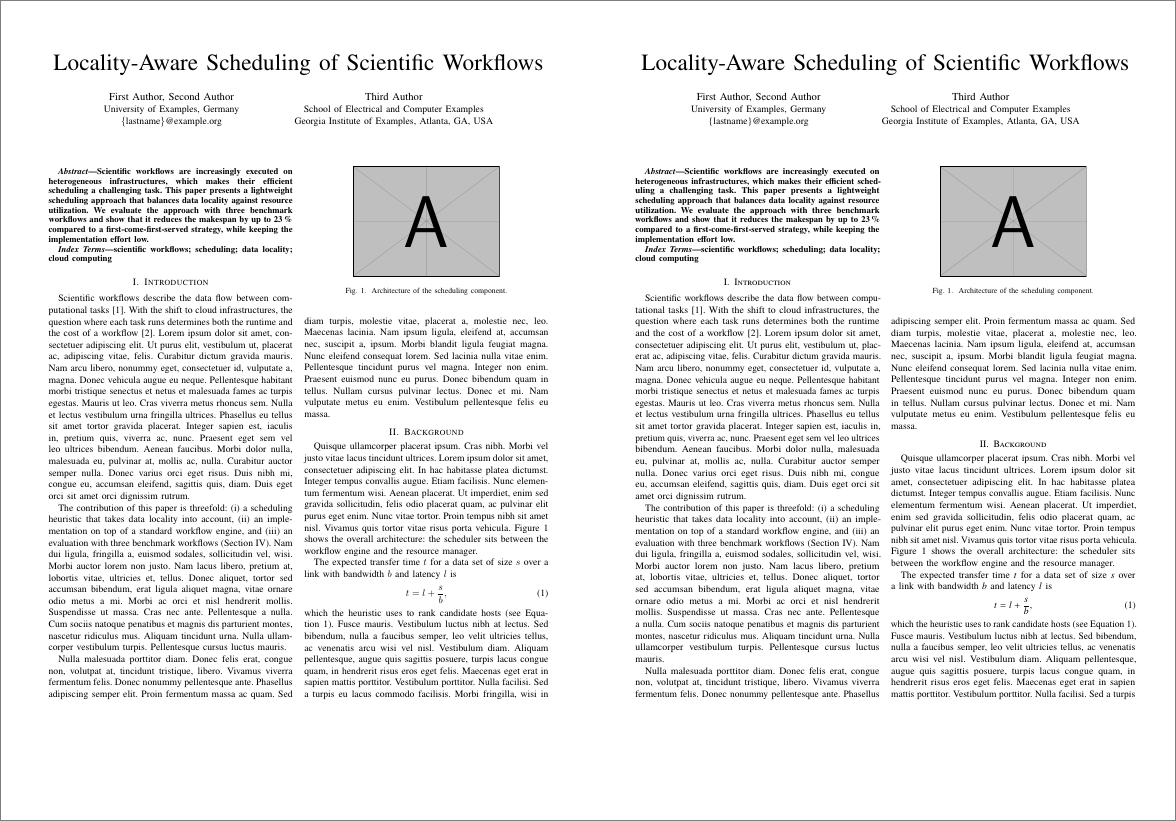
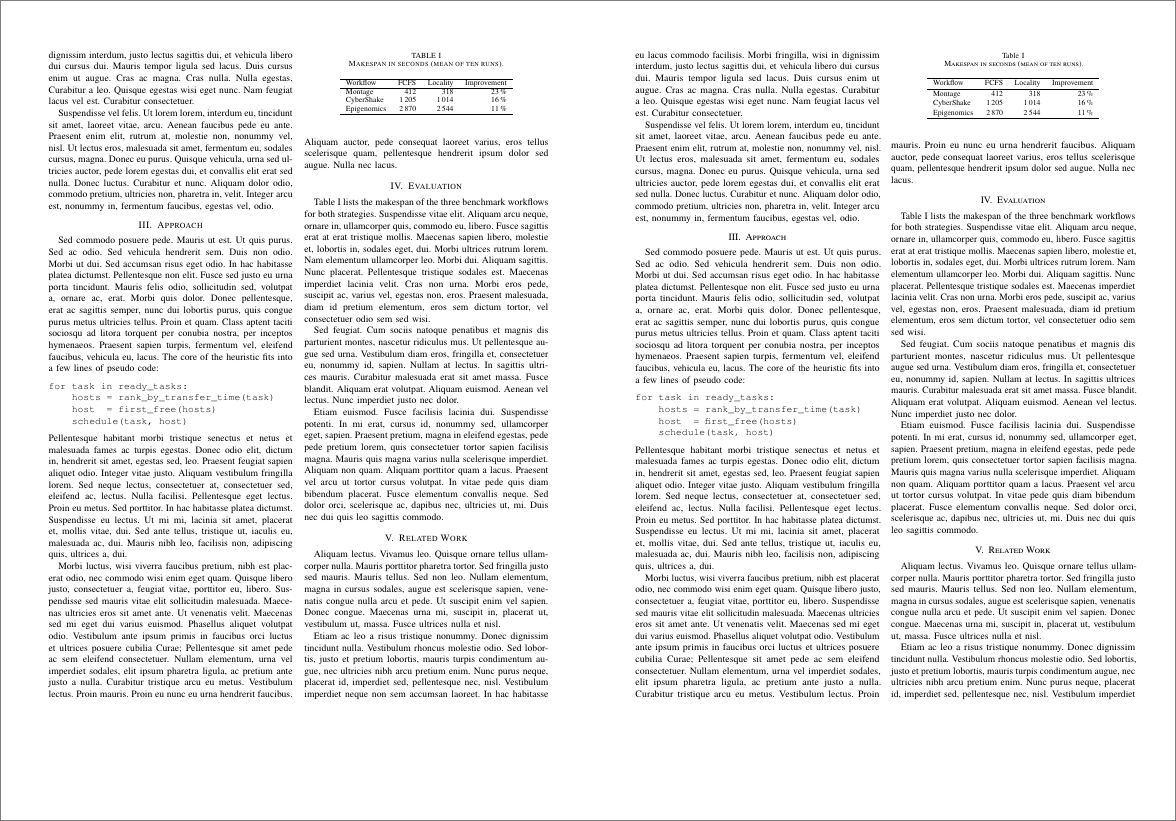
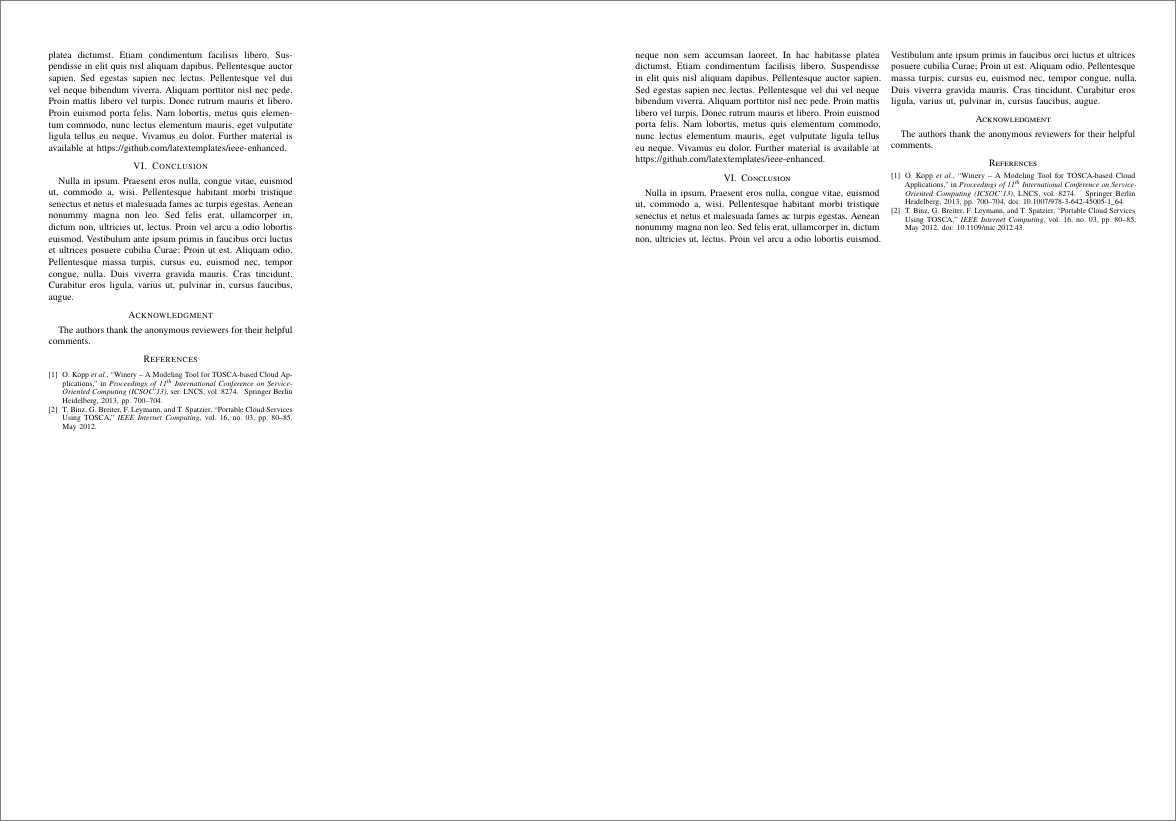
The same text rendered with the IEEEtran class as distributed (left) and with this template (right).
The layout, the fonts, and the title block are the publisher’s; this template adds microtype, hyperlinks, and DOIs in the references.
The sources are in comparison/; comparison/build.sh renders the images.
Quick start
- Click on
Download ZIPor download ieee-enhanced-main.zip. - Extract
ieee-enhanced-main.zipin the folder where you want to write your paper. - Edit
paper.tex. - Compile with “lualatex + bibtex” in your TeX editor or with
latexmk paper/makeon the command line.
Advanced quick start
Instead of downloading the ZIP, let git fetch the template; later template updates then merge into your text (see the FAQ). In an empty folder:
git init -b main
git remote add template https://github.com/latextemplates/ieee-enhanced.git
git fetch template
git merge template/main
Then edit and compile as above.
Benefits
Following features are enabled in this template:
- Provides a skeletal paper.tex file
- Shows how IEEE copyright notice can be added.
- References follow the IEEE Reference Guide (V 3.28.2025).
Differences to the IEEEtran package on CTAN:
IEEEtranN-doi.bstisIEEEtranN.bstchanged byIEEEtranN-doi.bst.patch: references show the DOI (“, doi: 10.xxx”), and repeated author names are written out instead of a dash. The entry formats follow the IEEE Reference Guide (V 3.28.2025), checked example by example in comparison-reference-guide-bibtex.pdf: dates with days,urldateas “Accessed:”,languageas “(in Russian)”,translator,eidas “Art. no.”,part, and the entry typesonline(web page),video,dataset, andsoftware. For the original output, use\bibliographystyle{IEEEtranN}.IEEEtran-doi.bstis the same modification ofIEEEtran.bstfor a document without natbib: copy it next to your.texfile and use\bibliographystyle{IEEEtran-doi}with the plain\cite.- Citation ranges are written out:
[1], [2], [3]instead of[1]–[3]. For ranges, use the natbib optionsort&compressinstead ofsort.
- The fonts IEEEtran intends (Times, Helvetica, Courier) with both engines; with LuaLaTeX, fontspec would otherwise fall back to Latin Modern (see the table below).
- (Optional) Typesetting of listings using advanced highlighting powered by the minted package.
mintedprovides better output than listings, but requires latexminted to be installed. - Generated PDF allows for copy and paste of text without getting words with ligatures such as “workflow” destroyed.
With pdfLaTeX, this is enabled by
glyphtounicode, which encodes ligatures (such as fl) using unicode characters; LuaLaTeX does this by itself. - Ligatures are removed if they are typeset at the wrong place. This is enabled by the selnolig package.
- Support of hyperlinked references without extra color thanx to hyperref.
- Better breaking of long URLs.
- Support for
\powersetcommand. - TODOs (
\todo{...}) as short notes in the text with a numbered symbol in the margin, and a list of all open notes at the end of the document. This is enabled by the zebra package. - (Optional) Support todos as pdf annotations. This is enabled by the pdfcomment package.
- microtypographic extensions for a better look of the paper.
- Modern packages such as microtype, zref-clever, csquotes, paralist, hyperref, hypcap, upquote, booktabs.
- (Optional) LaTeX compilation using the modern lualatex compiler. For older systems, pdflatex is still supported.
- latexmk for easy compilation of the LaTeX document.
- Ready-to-go configuration for latexindent.
- Proper hyphenation and microtype for English texts.
The fonts differ between the engines:
| Engine | Text | Sans | Code | Math |
|---|---|---|---|---|
| pdfLaTeX | Nimbus Roman | Nimbus Sans | newtxtt | Computer Modern |
| LuaLaTeX | TeX Gyre Termes | TeX Gyre Heros | TeX Gyre Cursor | TeX Gyre Termes Math |
Disabled features
Following features were not activated for this template. You can run the latex template generator to enable the features.
Hints on writing an abstract and thesis by Dirk Fahland.
There is currently no official biblatex support. A first step towards that is done at the biblatex-ieee package.
Contained directories and files
Directories
- figures Directory containing the figures. By using LuaLaTex/PDFLaTeX it is possible to use PDF, JPG, and PNG files. We recommend to use PDFs to enable smooth scaling.
Files
paper.tex- The main.texfile loading all LaTeX packages and their configurations.- Add text here
- Adjust title, … here
- content-markdown.md - A section written in plain Markdown, included with
\markdownInput(LuaLaTeX only). - bibliography.bib - Bibliography. biblatex format. Manage it with JabRef.
- abbreviations.tex - Acronyms and abbreviations.
- commands.tex - Example LaTeX macros.
Following additional files are included, which do not need to be adapted:
- localSettings.yaml - Settings for latexindent
- Makefile - The Makefile. Builds on latexmk.
- Texlivefile - List of packages required for a minimal TeXLive installation.
LaTeX compilation
Compile either in a Docker container (recommended) or with a LaTeX distribution installed on your machine.
Docker-based (recommended)
The TeX Live docker image by the Island of TeX works the same on Windows, macOS, and Linux.
It ships a complete TeX Live including latexmk, biber, latexindent, Python, and latexminted.
Thus, minted works out of the box - also on Windows, without a separate Python setup.
- Install Docker (Docker Desktop on Windows and macOS).
-
Open a terminal in the directory of this document and compile in the container. The first run downloads the image (approx. 3 GB); its tag selects the TeX Live version of this template.
Windows (PowerShell):
docker run --rm -v "${PWD}:/workdir" registry.gitlab.com/islandoftex/images/texlive:latest latexmk paperWindows (Command Prompt):
docker run --rm -v "%cd%:/workdir" registry.gitlab.com/islandoftex/images/texlive:latest latexmk paperLinux and macOS:
docker run --rm -v "$PWD:/workdir" registry.gitlab.com/islandoftex/images/texlive:latest latexmk paper - Optional: Let VS Code compile in the container, see “VS Code configuration”.
No Docker at hand? Open the repository in GitHub Codespaces and compile in the browser.
If you need additional tools in the image, extend the generated Dockerfile, build it with docker build -t ltg ., and use ltg instead of the image name.
Traditional
Install a LaTeX distribution on your machine:
- Windows: Recent MiKTeX. MiKTeX installation hints are given at http://latextemplates.github.io/scientific-thesis-template/#installation-hints-for-windows.
- macOS: Recent TeX Live (e.g. through MacTeX) - Try
sudo tlmgr update --allif you encounter issues with biblatex - Linux: Recent TeX Live distribution
To have minted running with a traditional installation, you have to do following steps on Windows (the Docker image already contains all of this):
- Install python:
choco install python- that uses chocolatey to install Python - Install latexminted:
pip install latexminted- that uses the Python package manager to install the minted library
latexmk hints
latexmk runs the LaTeX tools (e.g., lualatex and bibtex) as often as needed to get the final PDF (why latexmk is great).
It reads its configuration from .latexmkrc in the directory of the document.
Overleaf reads .latexmkrc, too, so the “Compiler” setting of the Overleaf project does not matter; select TeX Live 2026 there.
To use the configuration for all your documents, put it at the right place.
Build the document:
latexmk paper
In the Docker-based setup, put the docker run ... part from “Docker-based (recommended)” in front, or just run make.
In the traditional setup, latexmk needs Perl (TeX Live ships it; with MiKTeX, install it, e.g., via choco install strawberryperl).
To recompile on every change and open the PDF, run:
latexmk -pvc paper
On Windows, the configuration opens the PDF in Sumatra PDF, which reloads the PDF automatically.
Tool hints
Editor and bibliography
Independent of the chosen setup:
- Grammar and spell checking is available at [TeXstudio].
Please download LanguageTool (Windows:
choco install languagetool) and configure TeXstudio to use it. Note that it is enough to point tolanguagetool.jar. If TeXstudio doesn’t fit your need, check the list of all available LaTeX Editors. - Use JabRef to manage your bibliography (in 2026, install the latest beta version: the stable version 5.15 is too old).
Advanced usage
On the command line, there are additional features:
makebuilds the PDF in the Docker container;make LOCAL=1uses your local LaTeX distribution (this works for allmaketargets)latexmk -Cormake cleanfor cleaning upmake logshows only the relevant messages of the last LaTeX run (using texlogsieve)make formatto reformat the.texfiles (one sentence per line and indent)make chktexchecks the LaTeX sources for typographic and syntax issues with ChkTeX; theCheckworkflow runs it as jobchktex. Warnings to ignore are configured in.chktexrc(chktex -llists all), a single line with% chktex <number>at its end.make spellcheckruns all spell checkers (in the Docker image by DANTE e.V., which contains them;make LOCAL=1 spellcheckuses local installations):make spellcheck-aspellfor interactive spell checking with aspellmake spellcheck-textidotechecks spelling, grammar, and style with TeXtidote (report intextidote.html)
make dictionariesmerges the word lists of the spell checkers (see the FAQ on adding words)make stand: Creates a new PDF with the current status of the document.make view: Opens the configured viewermake mrproper: Cleans up and removes also editor backup files.
Without make (e.g., on Windows), run a target with make in the Docker image by DANTE e.V., which contains make and all tools, e.g., dictionaries:
docker run --rm -it -v "${PWD}:/workdir" -w /workdir danteev/texlive:2026-C make LOCAL=1 dictionaries
docker run --rm -it -u "$(id -u):$(id -g)" -e HOME=/tmp -v "$PWD:/workdir" -w /workdir danteev/texlive:2026-C make LOCAL=1 dictionaries
The textlint job of the Check workflow reports weakening words (e.g., “clearly”, “just”) in the English .tex files as annotations.
Run it locally with npx (needs Node.js; rules come from .textlintrc.json):
npx --yes --package textlint --package textlint-plugin-latex2e --package textlint-filter-rule-allowlist --package textlint-rule-terminology --package textlint-rule-write-good textlint paper.tex content-markdown.md
The textidote job of the Check workflow checks spelling, grammar, and style of English documents with TeXtidote and reports its findings as annotations.
Its options are in .textidote.
Run it locally with make spellcheck-textidote: it writes the report textidote.html.
VS Code configuration
Currently, following extensions are recommended:
- LaTeX Workshop to support LaTeX in VS Code and
- LaTeX Utilities to enhance LaTeX Workshop
- LTeX+ to have a nice spell checker that also identifies grammar issues
- JabRef 4 VSCode to use the language server and further features of JabRef in VS Code
With the settings below, LaTeX Workshop compiles with the recipe “lualatex ➞ bibtex ➞ lualatex × 2”.
To compile in the Docker container (see “Docker-based (recommended)”), add the following lines to VS Code’s settings.json (Shift+Ctrl+P, then “Preferences: Open Settings (JSON)”):
    "latex-workshop.docker.enabled": true,
    "latex-workshop.docker.image.latex": "registry.gitlab.com/islandoftex/images/texlive:latest",
The following settings are additionally recommended:
{
    "editor.wordWrap": "on",                                          // enable soft line breaks
    "latex-workshop.view.pdf.viewer": "tab",                          // display the generated PDF in a separate tab
    "latex-workshop.view.pdf.color.light.backgroundColor": "#cccccc", // light theme: use a darker background in the PDF viewer to lift the pages off it
    "latex-workshop.view.pdf.color.dark.backgroundColor": "#121314",  // dark theme: same, with a dark gray matching the editor
    "latex-workshop.latex.autoBuild.run": "never",                    // never automatically build; alternative: "onSave" (on saving .tex files)
    "editor.renderWhitespace": "all",                                 // display all whitespaces
}
Alternatively, just copy and paste the contents of the vscode.settings.json file to your VS Code settings file.
You can manually trigger compilation by hitting the green button in the extension or using other methods provided by LaTeX Workshop.
LTeX+ tips and tricks
LTeX+ is an offline grammar and spell checker with support for LaTeX and Markdown.
The main file starts with a magic comment that tells LTeX+ the language of the document, e.g., % LTeX: language=en-US.
Add the same comment to further .tex files.
Using the template for a THU term paper
If your seminar at the Technische Hochschule Ulm (THU) requires the IEEE conference format, adapt the template as follows (double check the requirements with your supervisor):
- Enable page numbers: uncomment
\pagestyle{plain}after\maketitle. -
Use the THU affiliation in the author block:
\author{\IEEEauthorblockN{Given Name Surname}
\IEEEauthorblockA{\textit{Department of Computer Science} \\
\textit{Ulm University of Applied Sciences (THU)}\\
Ulm, Germany \\
youremail@thu.de}}
Everything else (A4 paper, numeric citations with natbib and IEEEtranN-doi, \citet, links without colored boxes) is already set up.
Anonymous submission (double-blind review)
paper-anon.tex typesets paper.tex with every \anon{...} replaced by a gray bar: compile it with latexmk paper-anon.
Wrap the authors, the affiliations, and the acknowledgments in \anon{...}; \anon[an anonymous university]{...} prints a replacement instead and \anon[\anonbar{6cm}]{...} a longer bar (same interface as acmart’s \anon).
Write self-citations in the third person (“Doe et al. [3] showed” instead of “in our previous work [3]”) and link an anonymized copy of your repository, e.g., via https://anonymous.4open.science/.
Final submission
arXiv
The first line of paper.tex is \ifdefined\pdfoutput\pdfoutput=1\fi.
Keep it when uploading to arXiv: arXiv scans the first lines for \pdfoutput=1 to decide between pdflatex and DVI-producing latex.
Without the line, arXiv falls back to latex, which cannot build the modern fonts (they ship without Metafont sources) and aborts with an error such as ! I can't find file 'clmr28t10+20'.
See this question on TeX.SE for details.
FAQs
Q: pdfLaTeX stops with “Invalid UTF-8 byte sequence (\lst@EC)” in a listing, or an umlaut is missing in it.
Under pdfLaTeX, the listings package reads a listing byte by byte, so a character outside ASCII has to be mapped to its LaTeX command.
The template does this for accented Latin letters and common punctuation with literate= in \lstset (search for extendedchars in paper.tex).
A character that is not in the table triggers the error and is dropped.
Add it with the same pattern, e.g., {ő}}1 (the 1 is its width in characters).
LuaLaTeX reads UTF-8 directly and needs no table, which is why the table is inside \ifpdftex.
listingsutf8 helps with \lstinputlisting only, not with the lstlisting environment.
Q: How do I include an SVG file?
Convert it once to PDF with Inkscape (1.0 or later) and include the PDF with \includegraphics:
inkscape figure.svg --export-type=pdf --export-filename=figure.pdf
The svg package automates this (\includesvg{figure} converts at every build), but it needs Inkscape on the machine that compiles and --shell-escape, so the conversion fails on Overleaf and in CI; the one-time conversion has neither constraint.
Text in the SVG stays as it is; the --export-latex option of Inkscape writes the text to a .pdf_tex file set by LaTeX in the document font instead (see the svg package manual for the \includeinkscape workflow).
Q: How do I find the cause of a LaTeX error?
Run the compiler so that it stops at the first error instead of continuing with a damaged document:
lualatex -halt-on-error --synctex=1 paper
The line starting with ! in the output (and in paper.log) names the error, the following l.<number> line the line of the source.
make log shows only the relevant messages of the last run (using texlogsieve).
For an interactive run, texfot wraps the compiler and prints only the lines that probably need a change in the source:
texfot lualatex paper
Which tool fits which situation is compared in the decision record on log filtering.
Run bibtex paper to get the bibliography rendered (execute lualatex afterwards).
If there is no PDF although the log shows only warnings, the compiler stopped on a missing file without an ! line: search the end of the log for not found, cannot find, or Fatal error.
A missing font or encoding file is the usual cause (see the questions on .enc files and LatinModernMath below); warnings such as “THIS IS AN ALPHA VERSION” of a package are harmless.
The Check workflow builds this template on every change, so a build that fails locally comes from the local TeX installation; compare with the PDF at https://latextemplates.github.io/ieee-enhanced/ or build in the Docker image (see the Makefile).
Q: I get ! Package minted Error: minted v3+ executable is not installed
The complete output reads:
! Package minted Error: minted v3+ executable is not installed, is not added to
 PATH, or is not permitted with restricted shell escape; or MiKTeX is being use
d with -aux-directory or -output-directory without setting a TEXMF_OUTPUT_DIREC
TORY environment variable.
The minted package needs Python and the Python package latexminted. The Docker image and Overleaf contain both. For a local installation:
- Install Python, e.g.,
choco install pythonon Windows. - Install or repair latexminted:
python -m pip install --force-reinstall latexminted(see minted#425).
Without Python, use the *-basic-listings*.tex variant: it typesets source code with the listings package.
Q: How do I spell check a passage in another language?
Use the \foreignlanguage{language}{text} command.
LTeX+ will detect these elements and automatically switch the spell checker’s language.
For example:
\foreignlanguage{english}{Therefore, our proposed approach will change the world.}
Q: How do I add a word (e.g., the name of a tool) to the spell checkers?
Each spell checker reads its own word list; add the word as a new line:
| Spell checker | Word list |
|---|---|
aspell (CI job spell-check, make spellcheck-aspell) |
.aspell.en.pws (English), .aspell.de.pws (German); below the first line, no hyphenated words |
| LTeX+ (VS Code) | .vscode/ltex.dictionary.en-US.txt, .vscode/ltex.dictionary.de-DE.txt; “Add to dictionary” in VS Code writes there |
TeXtidote (CI job textidote, make spellcheck-textidote) |
.textidote.dict |
typos (CI job typos) |
.typos.toml, section [default.extend-words], e.g., Heros = "Heros"; only needed if typos reports the word |
The word lists of aspell, LTeX+, and TeXtidote contain the same words.
Instead of editing each of them, add the word to the aspell or the LTeX+ word list and run make dictionaries: it merges both and writes the word into all of them (hyphenated words not into aspell’s).
On GitHub, the workflow Dictionaries does this after each push that changes one of these word lists and commits the result.
To remove a word, delete it from the aspell and the LTeX+ word list and run make dictionaries.
Q: I have questions on the IEEEtran class itself.
The author of the class offers a large FAQ at http://www.michaelshell.org/tex/ieeetran/.
Please read on there.
The other possibility is to execute texdoc ieeetran and read in the documentation.
For example, there is an explanation of how to typeset the affiliation information with four or more authors properly.
Q: How are the two columns of the last page balanced?
The flushend package balances them automatically; no command in the text is needed.
An \AtEndDocument hook in the preamble (right after \usepackage{flushend}) activates flushend for the last page and, when the text ends in the first column, ends that column, so that flushend distributes the text over both columns.
If you do not want balanced columns, remove \usepackage{flushend} together with that hook.
If flushend produces odd spacing on the last page (IEEEtran’s author warns about that for references), balance by hand instead: remove flushend and enable \IEEEtriggeratref{N} in front of \bibliographystyle, which starts a new column before reference N.
Q: What does IEEE PDF eXpress need from the final PDF?
All fonts embedded, no Type 3 fonts, and the paper size of the call for papers.
The template meets the font requirements with both engines: pdfLaTeX embeds Type 1 fonts, LuaLaTeX embeds OpenType fonts (pdffonts lists them as “CID Type 0C”).
The paper size is the a4paper or letterpaper option of \documentclass; most IEEE conferences want US letter.
Check with pdffonts paper.pdf (every row “emb yes”, no “Type 3”) and pdfinfo paper.pdf (“Page size”).
Q: How can I synchronize updates from the template to my repository?
Set up the repository as described in the advanced quick start: this template is the git remote template.
To get the latest template version, fetch and merge it:
git fetch template
git merge template/main
If you already have a repository, add the remote first: git remote add template https://github.com/latextemplates/ieee-enhanced.git.
Notes on syncing with the upstream repository are available from GitHub.
Q: I get the error ! pdfTeX error (font expansion): auto expansion is only possible with scalable fonts.
Install the cm-super package using the MiKTeX package manager. Then, run initexmf --mkmaps on the command line. (Long description: https://tex.stackexchange.com/a/324972/9075)
Q: I get Package csquotes Error: Unbalanced groups or invalid nesting. What can I do?
A: You have activated \MakeOuterQuote{"} and used some special babel command to allow hyphenation at other places as a dash. One example is writing application"=specific.
Now, you have to decide whether you want keep using plain quotes to enquote a word or use the special hyphenation command.
In other words: Do you want "quote" and app\-lication\-specific or \enquote{quote} and application"=specific?
Note that this should not happen when the template is generated as the setting tweakouterquote ensures that these two options are mutually exclusive.
Q: I need more space. What can I do?
The most simple solution to get more space is to exchange the font.
Q: How can I reformat my .tex files?
Execute latexindent -l -s -sl -w paper.tex
Alternatively, execute make format.
Q: How I want to obey the one-sentence-per-line rule. How to do?
See “How can I reformat my .tex files?”
Q: Is it possible produce a self-archiving version?
Use the authorarchive package; paper.tex contains a commented example.
Q: How do I prepare the sources for arXiv?
arXiv publishes the uploaded sources, including all comments (such as TODOs and commented-out text). arxiv-latex-cleaner removes comments and unused files and can shrink images:
pip install arxiv-latex-cleaner
arxiv_latex_cleaner .
Upload the content of the created directory ../<name of this directory>_arXiv.
See also “arXiv” above.
Q: Can I also write in German?
Yes. You can regenerate the template and choose “German” as language.
Q: ngerman-x-latest is reported missing
Install the package dehyph-exptl.
Q: I get ! I can't find file `clmr28t10+20'.
latexmk runs latex, which produces a DVI file (and not a PDF file), because it does not find its configuration.
Make sure that .latexmkrc is in the directory of the document.
Q: I get Font "LatinModernMath-Regular" not found.. What can I do?
Error message:
luaotfload | db : Reload initiated (formats: otf,ttf,ttc); reason: Font "LatinModernMath-Regular" not found.
luaotfload | resolve : sequence of 3 lookups yielded nothing appropriate.

! Package fontspec Error: The font "LatinModernMath-Regular" cannot be found.
Install the package lm-math manually.
Q: I get File `ushyphex.tex' not found.
Install package tugboat.
Q: I get ! Package fontspec Error: The font "TeXGyreTermes" cannot be found.. What can I do?
Install the package tex-gyre and tex-gyre-math manually.
Q: I get ! error: (type 1): cannot find encoding file 'ntx-ot1-tlf.enc' for reading. What can I do?
See https://tex.stackexchange.com/a/240850/9075: Install the packages newpx and newtxsf manually.
Q: I get ! TeX capacity exceeded, sorry [main memory size=3000000].. What can I do?
Follow the steps at https://tex.stackexchange.com/a/548335/9075
Try with following command
lualatex -shell-escape --extra-mem-top=10000000 --synctex=1 paper.tex
See https://tex.stackexchange.com/a/124206/9075 for details.
Q: How do I speed up compilation with a precompiled preamble?
With pdfLaTeX, the preamble of paper.tex can be dumped into a format file once (mylatex, part of TeX Live); later runs load the format instead of reading all packages, which saved 26 % per run for the example thesis.
pdflatex -ini "&pdflatex" mylatex.ltx paper
pdflatex "&mylatex" paper
Caveats: a run with the format skips the preamble of the .tex file, so after every change to the preamble, and after a TeX Live update, the first command has to be repeated; otherwise the change is silently ignored.
Additions placed after a line containing only % mylatex (put it right before \begin{document}) are read anyway, so new packages and macros can go there while writing.
latexmk does not rebuild the format, so this is for runs by hand while writing; latexmk builds the final version as usual.
The file mylatex.fmt (about 14 MB) is a build product and in .gitignore.
LuaLaTeX (the default of this template) cannot dump its preamble: Lua states and the loaded fonts are not part of a format.
The other ways to shorten the edit-compile loop, with measurements, are in the decision record How to speed up compilation.
Q: There is an output that biber/biblatex too old
See installation hints of how to update them at different systems.
Q: MiKTeX complains about missing .sty files.
Use the MiKTeX console to refresh the package index. Then, automatic installation should work again.
Q: How to include Excel charts properly?
- Select the Excel chart you want to use.
- Print to PDF with the option “Print Selected Chart”.
- Remove empty space of the created PDF page with
pdfcrop chart.pdf chart_cropped.pdf(install via MikTeX first, if not available; check viapdfcrop --version). - Use pdfscissors to crop the borders and title (maybe you have to allow https://sites.google.com in the Java security center in the control panel).
- Include the PDF in LaTeX via
\includegraphics{chart_cropped.pdf}.
compsocconf option is not needed any more
Some conferences distribute a IEEEtran.cls V1.7a dated 2007 and a parameter compsocconf.
The parameter compsocconf was NEVER included in Michael Shell’s IEEEtran.cls file. It is unclear, who did this patch and why it is around in the wild.
The most recent version is V1.8b and automatically distributed over CTAN, because it is actively maintained by Michael Shell at http://www.michaelshell.org/tex/ieeetran/. A full changelog is available at http://mirror.ctan.org/tex-archive/macros/latex/contrib/IEEEtran/changelog.txt.
 2014/09/17 V1.8a (MDS) changes:

 1) Extensive rework of the compsoc mode to comply with the latest standards
    of the IEEE Computer Society.
The class parameter compsocconf never existed officially.
One has to use conference, compsoc, because the parameters are “orthogonal”: Either “conference” or “journal”, either “compsoc” or not.
With a modern IEEEtran.cls, you’ll get
LaTeX Warning: Unused global option(s):
    [compsocconf].
compsoc option is not needed any more
IEEE distributes their templates at https://www.ieee.org/conferences_events/conferences/publishing/templates.html.
With the update of July 2017, the archive https://www.ieee.org/documents/ieee-latex-conference-template.zip contains both bare_conf.tex and bare_conf_compsoc.tex.
Thus, the conference should state which option to use.
All in all, the distributions of IEEEtran from 2007 are roughly equivalent to \documentclass[conference]{IEEEtran} (and version V1.8b), which does not comply with IEEE’s rules for computer science conferences, because the compsoc option is missing.
Hence, double check with your conference whether you have to use compsoc or not.
Statement from IEEE:
Please note that, as stated on the webpage https://www.ieee.org/conferences_events/conferences/publishing/templates.html. “IEEE does not require a specific format for their conference articles”. Thus, we dot not purport that the “compsoc” is a requirement for publishing conference papers with us.
Note on the reference style
comparison-reference-guide-bibtex.pdf shows every example of the IEEE Reference Guide (V 3.28.2025) next to the output of IEEEtranN-doi.bst, so that the two can be compared.
comparison-reference-guide-biblatex.pdf does the same for biblatex-ieee as distributed by TeX Live.
The documents and the entries come from biblatex-ieee (directory ieee-reference-guide/); the reference-guide job of check.yml builds them.
Further information
- New to LaTeX? See the LaTeX setup guide for installing LaTeX and an editor.
- Why the templates use which packages: decision records of the template generator
- Common questions of LaTeX beginners: the list of often referenced questions on TeX.SE and Barbara Beeton: What every LaTeX newbie should know (TUG 2023).
- For German users, go to https://texfragen.de/.
- Frank Mittelbach with Ulrike Fischer: The LaTeX Companion is the ultimate guide for LaTeX: The authors went through all packages offered by CTAN, selected the most promising ones, described them, and provide minimal working example for each of it.
- Lutz Hering, Heike Hering: How to Write Technical Reports, Springer, 2010; also available in German Technische Berichte - verständlich gliedern, gut gestalten, überzeugend vortragen. - Highly recommended, because it guides through all aspects of a report (such as a Master Thesis).
- Marcus Deininger et al.: Studienarbeiten - Ein Leitfaden zur Erstellung, Durchführung und Präsentation wissenschaftlicher Abschlussarbeiten am Beispiel Informatik, vdf. - Recommended as guideline for planning and working on the whole thesis.
- Charles Lipson, Cite Right, Second Edition: A Quick Guide to Citation Styles–MLA, APA, Chicago, the Sciences, Professions, and More, Chicago Guides to Writing, Editing, and Publishing, 2011. - Recommended in case you are unsure about how to correctly cite something.
- Other templates: https://latextemplates.github.io/
License
The license of this work is 0BSD which corresponds to “public domain”. Any derived work can freely be relicensed and can omit original copyright and license information.